One file, every version
A paper is usually kept in several files. One copy has the authors' names. Another has no names and goes to the referees. The journal also wants a separate title page, while the appendix goes online as a file of its own. Every correction then has to be made in each of these files.
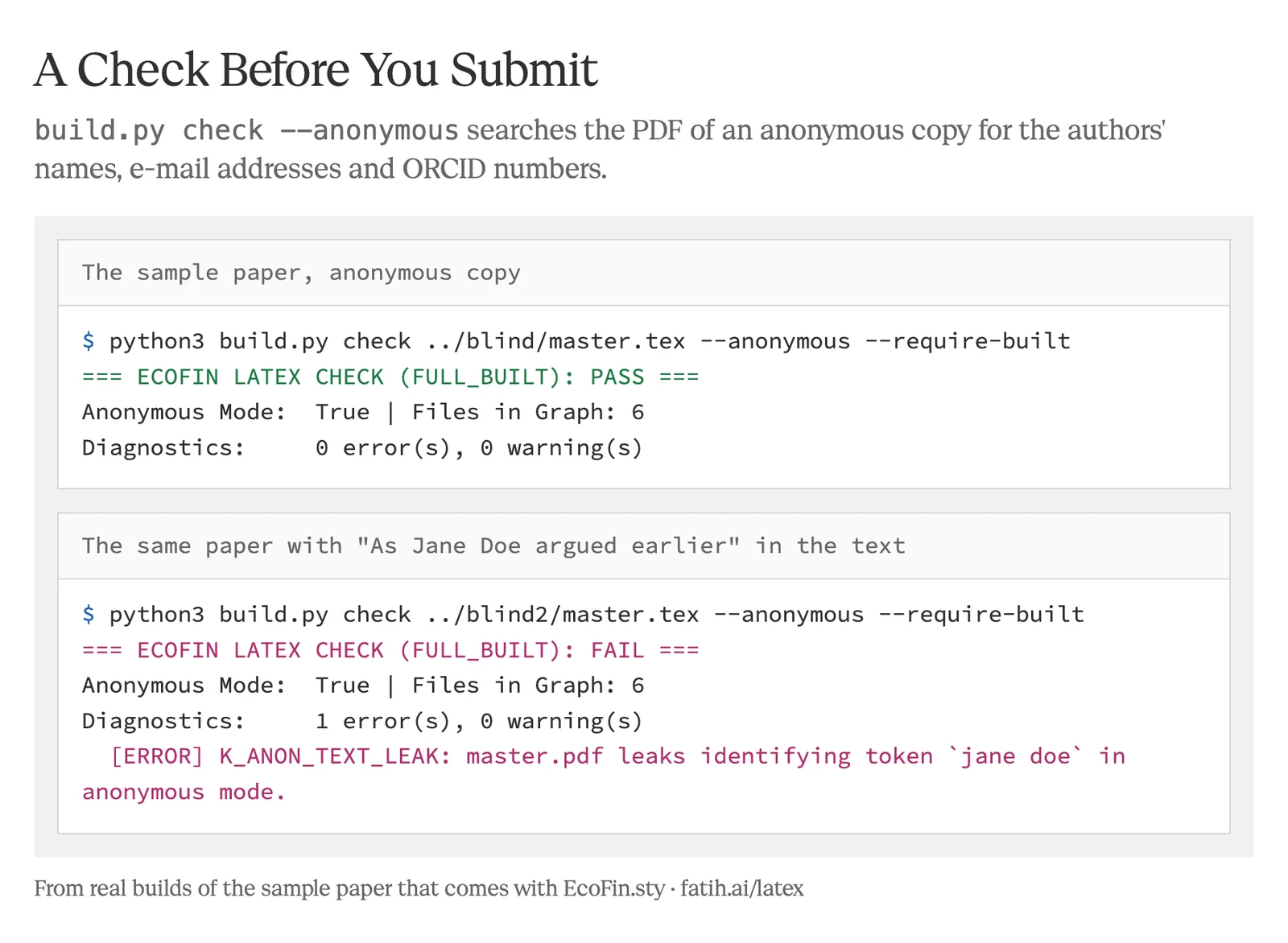
With EcoFin.sty the paper stays in one file. One word in that file decides which version comes out. The anonymous copy leaves out the names, the thanks, the e-mail addresses and the ORCID, together with the author field of the PDF. The rest is the same text, because it comes from the same file.
master.tex
\usepackage{ecofin}
\ecofinsetup{mode = wp}

\title{Administrative …}
\author[1]{Jane Doe}
\author[2]{John Roe}
\thanks{We thank …}

\begin{document}
\maketitle
 …
What comes out
Administrative Screening and Career Progression
Paper and references
Online appendix
Six pages. Names, thanks and addresses are on the first page.
One command also writes the three files that journal sites ask for, namely the title page, the anonymous manuscript and the online appendix.
Comments in the margin, on or off
Co-authors can write to each other inside the draft. \mnote leaves a note beside a sentence and \discuss asks a question. \replace proposes new wording while it keeps the old wording in the margin.
One word shows the notes and another hides them. In both cases the text breaks into the same lines, so everyone reads the same paper. An anonymous copy never shows the notes.
3.1 Identification
Empirical studies of organisations open with the economic question and the setting.•[FK] Check the clustering level. We then estimate a simple model on a long panel of offices and report the slope with its standard error, which is the number a reader will look for first in the table.
The second part of the argument continues[BS] was: goes on for long enough that a moved line break would be seen at once. Identification rests on the timing of the reform, which the ministry announced without warning in the spring of the first year. ▸[Ref 2] Add the first stage?The offices could therefore not prepare for it.
\ecofinsetup{notes = show}
Add an author, hide a section
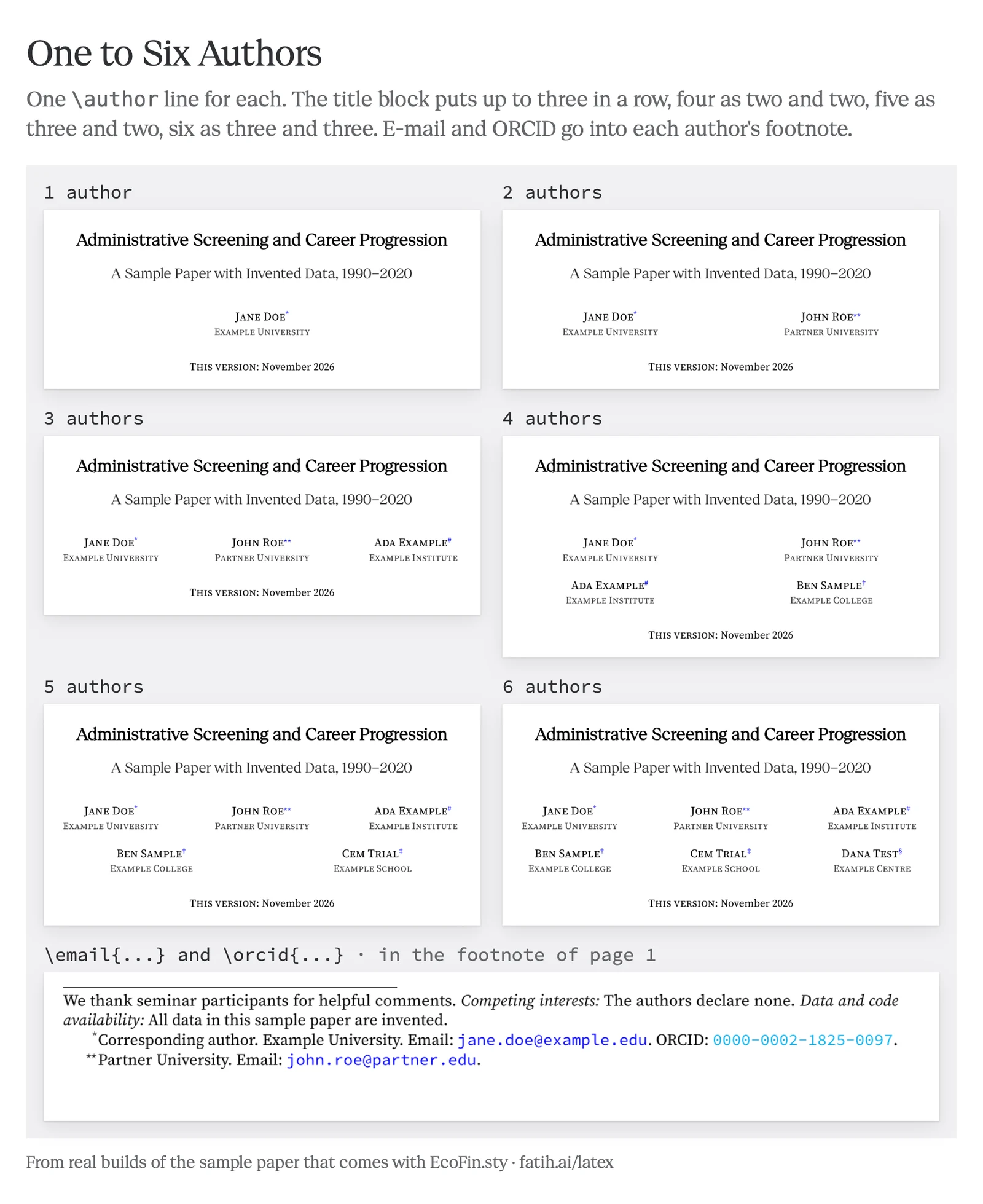
Each author is one line in the file. The title block places one to six authors by itself, with up to three in a row and four or more in two rows. The e-mail address and the ORCID of each author go into a footnote.
A section, a block of text or the whole online appendix can be switched off without deleting it. This is useful when a journal asks for a shorter version.
Administrative Screening and Career Progression
This version: November 2026
sections
- Introduction
- Results
- Conclusion
Five sections and the online appendix.
The page itself
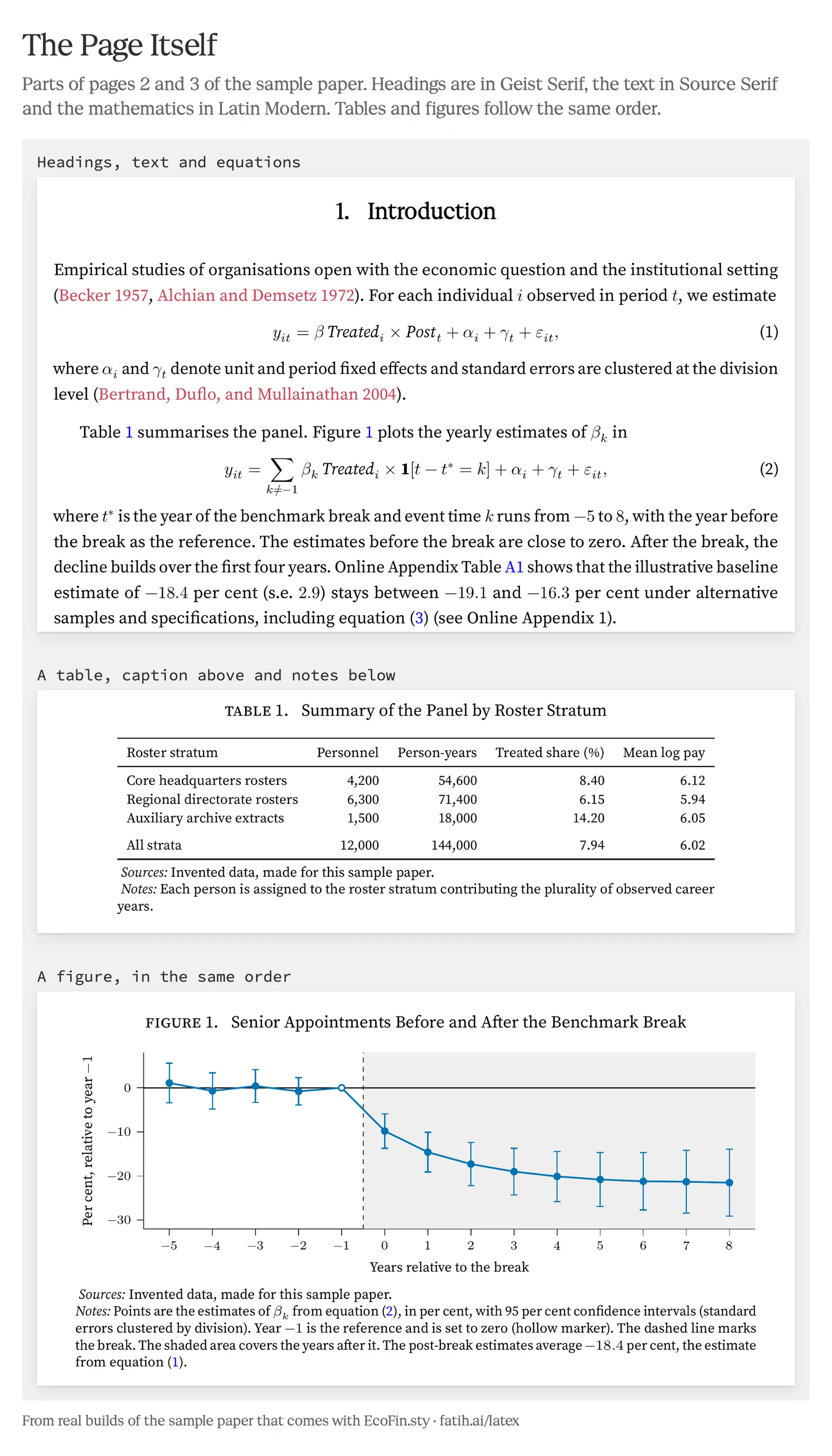
The title and the headings are set in Geist Serif, the text in Source Serif and the mathematics in Latin Modern. Citations are brick red, while links to tables, figures and equations are blue. Captions stand above tables and figures, with the notes and sources below them. In tables the numbers line up in their columns.
Headings in Geist Serif2. Data and Empirical Design
Text in Source SerifCluster-robust inference follows design-based sampling principles (Abadie et al. 2023)Citation. Table 1 summarises the panel. For each individual observed in a period we estimate
Caption above, notes belowtable 1. Summary of the Demonstration Panel
| Roster stratum | Personnel | Person-years |
|---|---|---|
| Core headquarters rosters | 4,200 | 54,600 |
| Regional directorate rosters | 6,300 | 71,400 |
| Auxiliary archive extracts | 1,500 | 18,000 |
Notes: Each person is assigned to the roster stratum with most of the observed career years.
Other choices are one option each, for example STIX Two or Libertinus for the mathematics, equation numbers on the left, Roman section numbers and A4 paper.
Start
Put ecofin.sty, bibliography.bst and the fonts folder next to your paper. You can also download them together with the sample paper. A paper then begins like this.
\documentclass[11pt]{article}
\usepackage{ecofin}
\bibliographystyle{bibliography}

\title{Your Title}
\author[1]{Your Name}
\affil[1]{Your University}
\date{November 2026}

\begin{document}
\maketitle

\begin{abstract}
Your abstract.
\end{abstract}

\section{Introduction}
Your text \citep{key}.

\bibliography{references}
\end{document}
The style works with LuaLaTeX, XELaTeX and pdfLaTeX. Under pdfLaTeX the headings are set in Source Serif, because Geist Serif needs one of the other two engines.
Details
The README in the repository explains the rest.
| Modes | Seven versions from one file, and the three-file set for journal sites |
|---|---|
| Settings | Every option with its default |
| Tables | Three-part tables, panel rows and aligned decimals |
| Figures | Captions, notes, the colour set and its Python companion |
| Numbers | Results written by your analysis script and used in the text |
| References | One list for the paper and one for the online appendix |
| arXiv | A ready-made upload file |
Built on
EcoFin.sty is a style for the standard article class of LaTeX. Its reference style is adapted from Shiro Takeda's econ.bst. Geist Serif is by the Geist Project Authors at Vercel and Source Serif is by Adobe. Both fonts are under the SIL Open Font License. Pascal Michaillat's latex-paper template was a reference while building the style.
Limits
The style follows the habits of economics, finance and economic history. It was not tried in other fields. Geist Serif headings need LuaLaTeX or XELaTeX. An author has one affiliation line. With many margin notes a page break can fall one line earlier or later than without them, although the line breaks do not change. A journal that requires its own class file still requires it. For this reason the style is meant for the working paper and the submission copy.