Why another PDF app
Papers, contracts, forms, reports and scans still arrive as PDFs, and changing one is where the cost starts. To edit the text of a PDF in Adobe Acrobat you need Acrobat Standard, at £14.99 a month on an annual plan or £178.85 a year prepaid, on Adobe's UK site on 6 November 2026. Acrobat Studio, the plan with every feature, costs £296.93 a year prepaid.
OxnaPDF is built the other way round. It is free, with no account, subscription or adverts. The desktop app runs on Mac, Windows and Linux, and 51 OxnaPDF tools also run in the browser at oxna.ai/pdf. Opening, reading, editing and converting a PDF happen on the reader's own device. Nothing leaves it until the reader asks an AI a question or hands a file to an AI assistant.
What it does
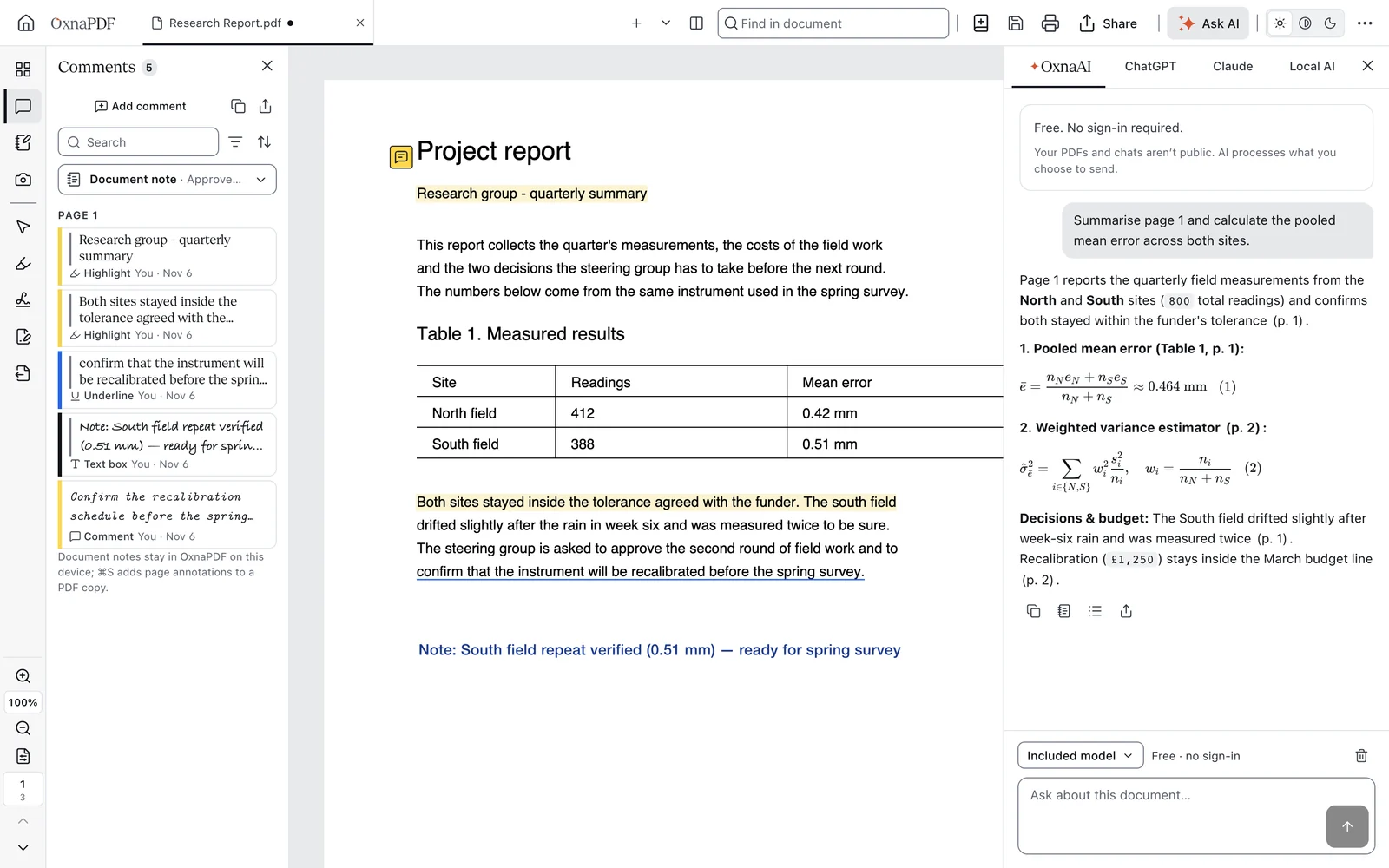
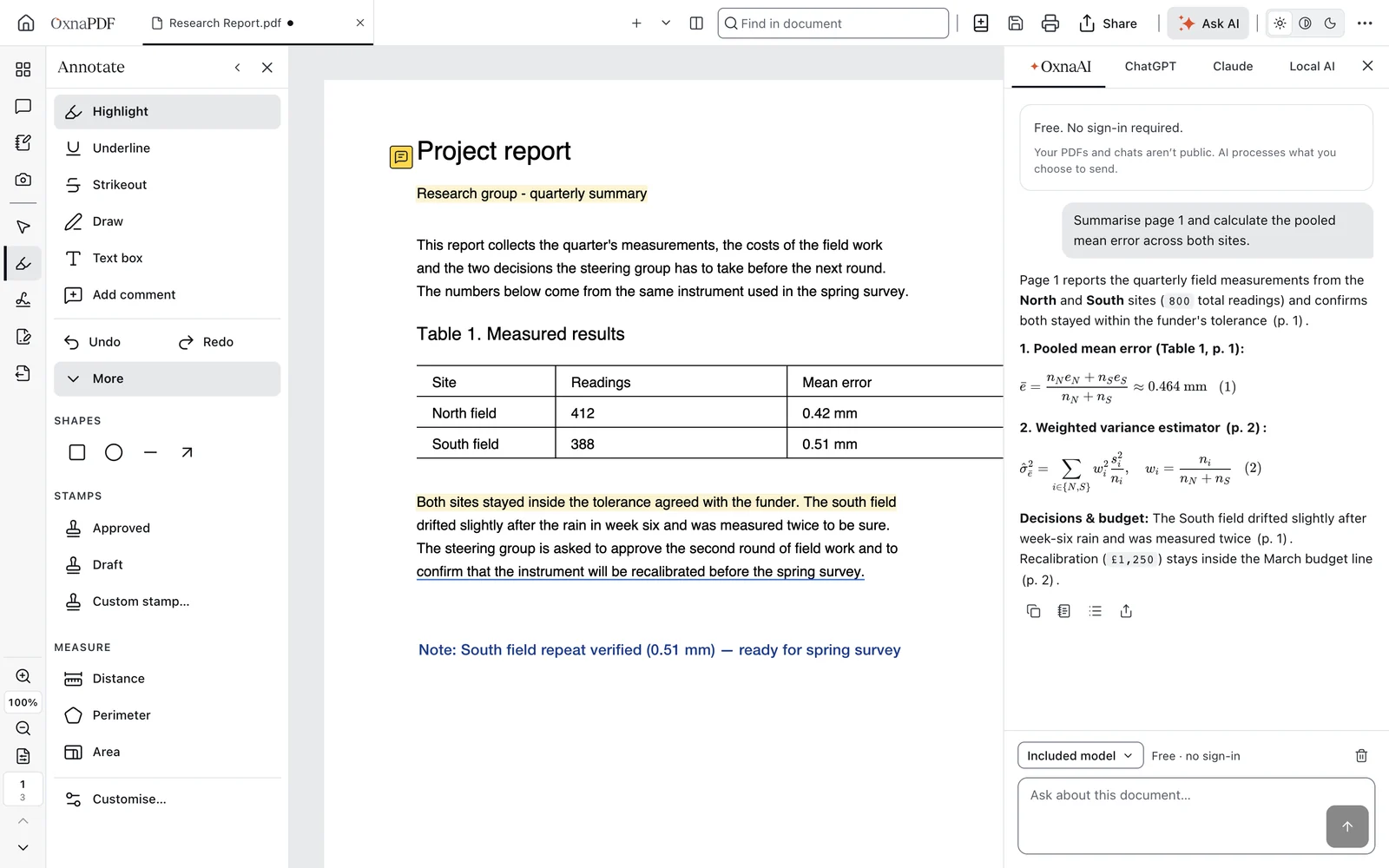
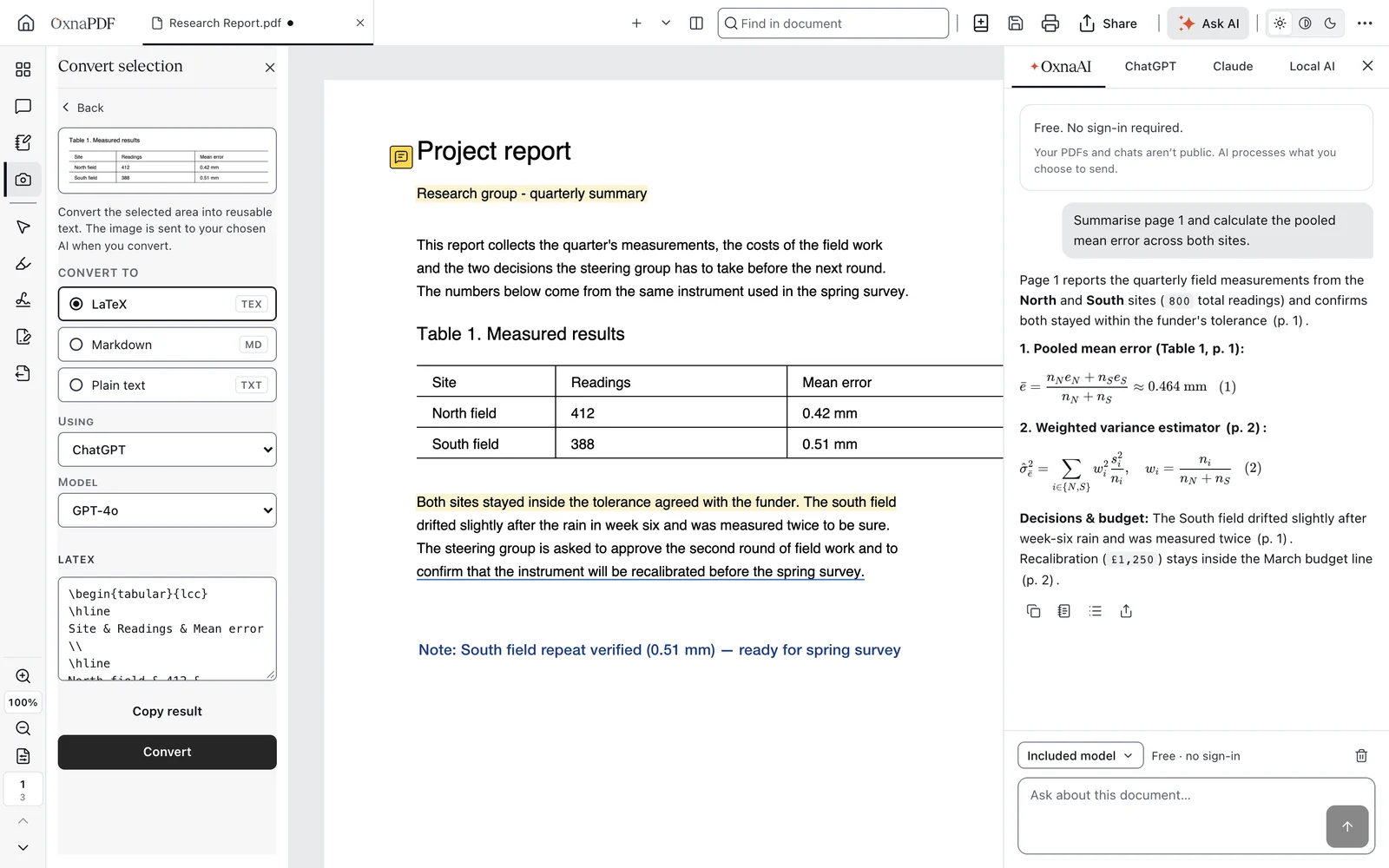
OxnaPDF edits the text already on a page, converts to and from Word, Excel and PowerPoint, recognises the text in scans, redacts, organises, merges, splits and compresses pages, fills and creates forms, signs with a drawn mark or a certificate, and compares two versions of a document. With an AI the reader picks, a selected area of a page can also be turned into LaTeX, Markdown or plain text. The original file is never changed: every edit is saved as a new copy.
How it is put together
The desktop app is built in layers. Its window draws the interface and runs sandboxed, so the page inside it cannot reach the reader's files or the system on its own. Under it sit the reader, which draws the pages, and the OxnaPDF engine, the app's own PDF engine. The engine edits, redacts, organises, compresses, converts and signs in background workers, so heavy work never freezes the window. At the bottom, the desktop layer opens and saves files, keeps settings on the computer and talks to whichever AI the reader picks.
Some PDFs are made to cause harm, so the engine treats every file as untrusted. Scripts inside a PDF are not run and XFA forms are switched off, so a document cannot run code in the app. Opening a PDF from a web address cannot reach addresses on the reader's private network. Crafted or damaged files meet limits on size and loops, and they are refused instead of freezing the app.
Figure 1. Where the work happens
What runs on the reader's device, what runs on OxnaPDF's services, and what travels between them.
A redaction that is checked
A black box drawn over a line hides it on screen and leaves the words in the file. OxnaPDF removes them and then proves it, and the save waits for the proof.
Mark
The reader marks the words or the area to remove.
Remove
The engine takes what lies under the mark out of the page's content, not only out of sight.
Rebuild
The file is written again without the removed objects.
Prove
OxnaPDF reads the new copy back and checks the words are gone everywhere: the text, hidden strings, unused objects and the pixels under each mark.
Save
Only a copy that passes is saved. If it fails, nothing is saved and the reader sees why.
AI where you already work
The app has an AI panel with four choices. OxnaAI is built in and free within a daily allowance, with no sign-in. The question and the passage the reader chose go to the OxnaAI service on Cloudflare, which asks an open model on Cloudflare Workers AI. Only if Cloudflare cannot answer does the request go to OpenAI, asked not to store it; OpenAI may keep it for up to 30 days to check for abuse and does not train on it. The service keeps no record of questions, passages or answers. To share the free allowance fairly it keeps only coded forms of a random app number and of the network address, with counters that reset each day.
The other three choices keep the work with the reader. ChatGPT and Claude answer under the reader's own plan, and the question goes straight from the computer to that provider. Local AI uses Ollama, LM Studio or another model on the computer itself, so nothing goes over the internet.
OxnaPDF also works inside AI assistants, which is what agentic means here: the assistant can open, read and change a PDF for the reader. ChatGPT and Claude on the web talk to the OxnaPDF connector service. A PDF handed to it is held in memory, in a container reserved for that account, and deleted at most 30 minutes after it was last used; it is never written to disk on the servers or used to train a model. In Claude Desktop and Claude Code the OxnaPDF extension runs on the computer, so the files stay there, and Gemini CLI and Antigravity get the same tools through their own extension. Every change is a preview, and nothing is kept until the reader approves it.
https://mcp.oxna.ai/mcp/chatgpt
https://mcp.oxna.ai/mcp/claude
Measured against Acrobat
OxnaPDF 1.11.17 and Adobe Acrobat 26.002 were timed one after the other on the same Mac (Apple M3 Max, 36 GB, macOS 26.7) on 6 November 2026. Each figure is the median of five runs after a warm-up. ‘Window open’ is the time from opening the file until the window is on screen; ‘busy until quiet’ is the time until the app stops using the processor.
Figure 2. Time until the app stops working on a newly opened file
Seconds, median of five runs on one Mac. Shorter is better.
- OxnaPDF 1.11.17
- Adobe Acrobat 26.002
Show the numbers
| Measure | OxnaPDF 1.11.17 | Acrobat 26.002 |
|---|---|---|
| Window open, 4-page PDF | 0.84 s | 1.09 s |
| Window open, 500-page report | 0.79 s | 1.02 s |
| Busy until quiet, 4-page PDF | 2.5 s | 21.0 s |
| Busy until quiet, 500-page report | 3.1 s | 14.0 s |
| Memory, 4-page PDF open | 356 MB | 498 MB |
| Memory, 500-page report open | 445 MB | 694 MB |
| Size on disk | 300 MB | 1.7 GB |
| Left running after you quit | Nothing | 1 helper |
| Background services installed | None | 3 |
Limits
The Mac app is not yet signed with an Apple Developer ID and the Windows installer is not yet code-signed, so both systems warn the first time the app is opened. Text recognition covers seven languages. Conversion to Word works from text that can be selected, so a scan needs text recognition first. The free OxnaAI allowance is daily, and any AI answer should be read against the page it cites. All timings come from one Mac.
OxnaPDF is made by Kansoy Ltd. How it is built, how private it is and how it compares with Acrobat are set out on its own pages: How Oxna Works, How Private, How Safe and Compared with Acrobat.